
ComfyUI vs. SwarmUI
Two programs side by side: Who is each one for, what runs on your hardware, and how much work is the installation?
In short
For beginners, SwarmUI is the better choice: you get a clean form with a prompt field, while ComfyUI still runs in the background. If you want to build every step yourself, choose ComfyUI directly. Both support image, video, and audio models.
ComfyUI
Choose ComfyUI if you want to build workflows yourself from nodes and control everything precisely.
SwarmUI
Choose SwarmUI if you want to get started quickly but keep the door open to ComfyUI.
The most important differences
| ComfyUI | SwarmUI | |
|---|---|---|
| What for | A very flexible program for AI image, video, and audio, where you put together workflows from nodes. | Beginner-friendly web interface for image, video, and audio models that uses ComfyUI in the background. |
| Who it’s for | For advanced users | For beginners |
| Installation | Installation is easy | Installation is easy |
| Use | Web interface in the browser with node editor (also as a desktop app) | Web interface in the browser |
| Windows | yes | yes |
| Linux | yes | yes |
| macOS | yes | limited |
| NVIDIA | yes | yes |
| AMD | yes | yes |
| Intel Arc | yes | unclear |
| Apple (M chips) | yes | yes |
| processor only | limited | unclear |
| Hardware note | For Windows, there are separate portable packages for NVIDIA (CUDA), AMD (ROCm), and Intel; a CPU mode is possible, but very slow. | Since version 0.9.8, native ROCm support for AMD on Windows according to the release notes; on Mac only with Apple Silicon chips (M1 and newer). |
| Price | free (plus optional cloud service Comfy Cloud) | free |
| License | GPL-3.0 · Open Source | MIT · Open Source |
| By | Comfy Org | Alex "mcmonkey" Goodwin |
| Version | v0.42.1 (Oct 19, 2026) | 0.9.8-Beta (Feb 6, 2026) |
Strengths and weaknesses
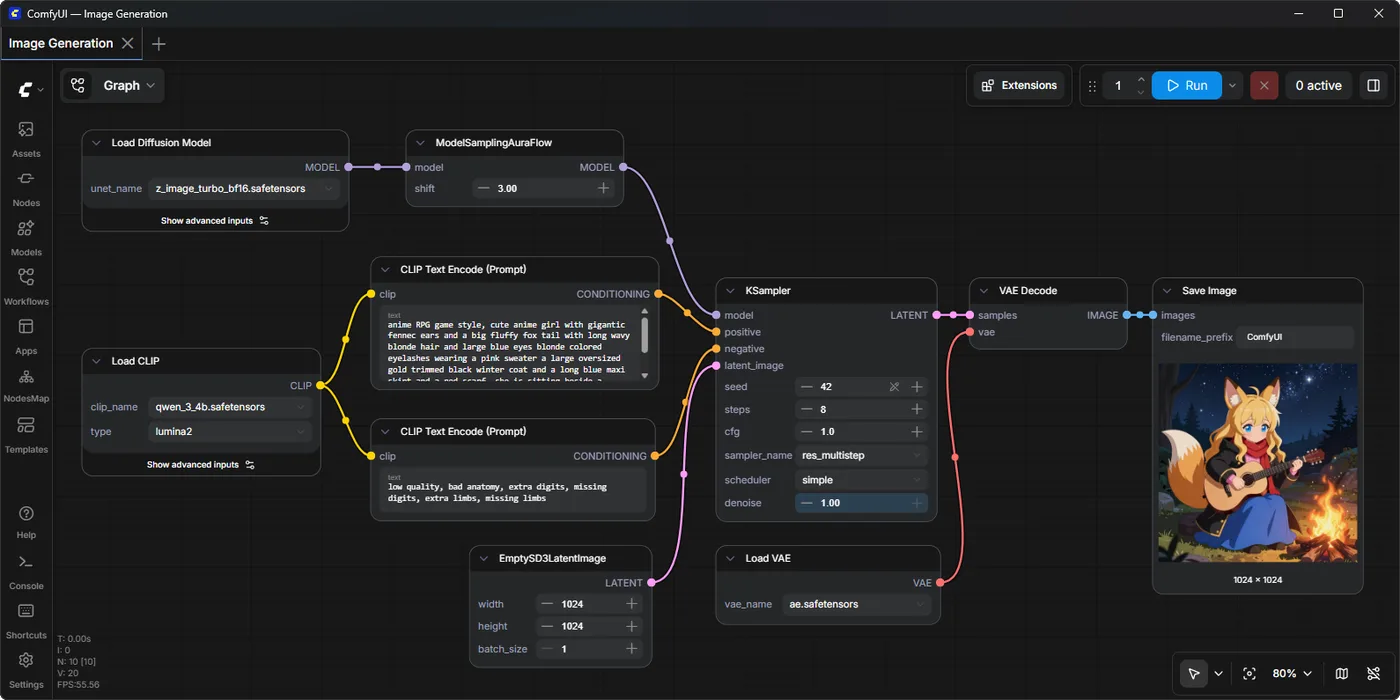
ComfyUI
- Usually supports new models first
- Very flexible thanks to node workflows
- Desktop app and portable version for Windows
- Huge selection of extensions (custom nodes)
- Runs on NVIDIA, AMD, Intel, and Apple
- Node interface can be confusing at first for beginners
- Third-party extensions can introduce conflicts or security risks
- Frequent updates sometimes change workflows
For you if you want to use the latest image and video models and precisely control what happens.
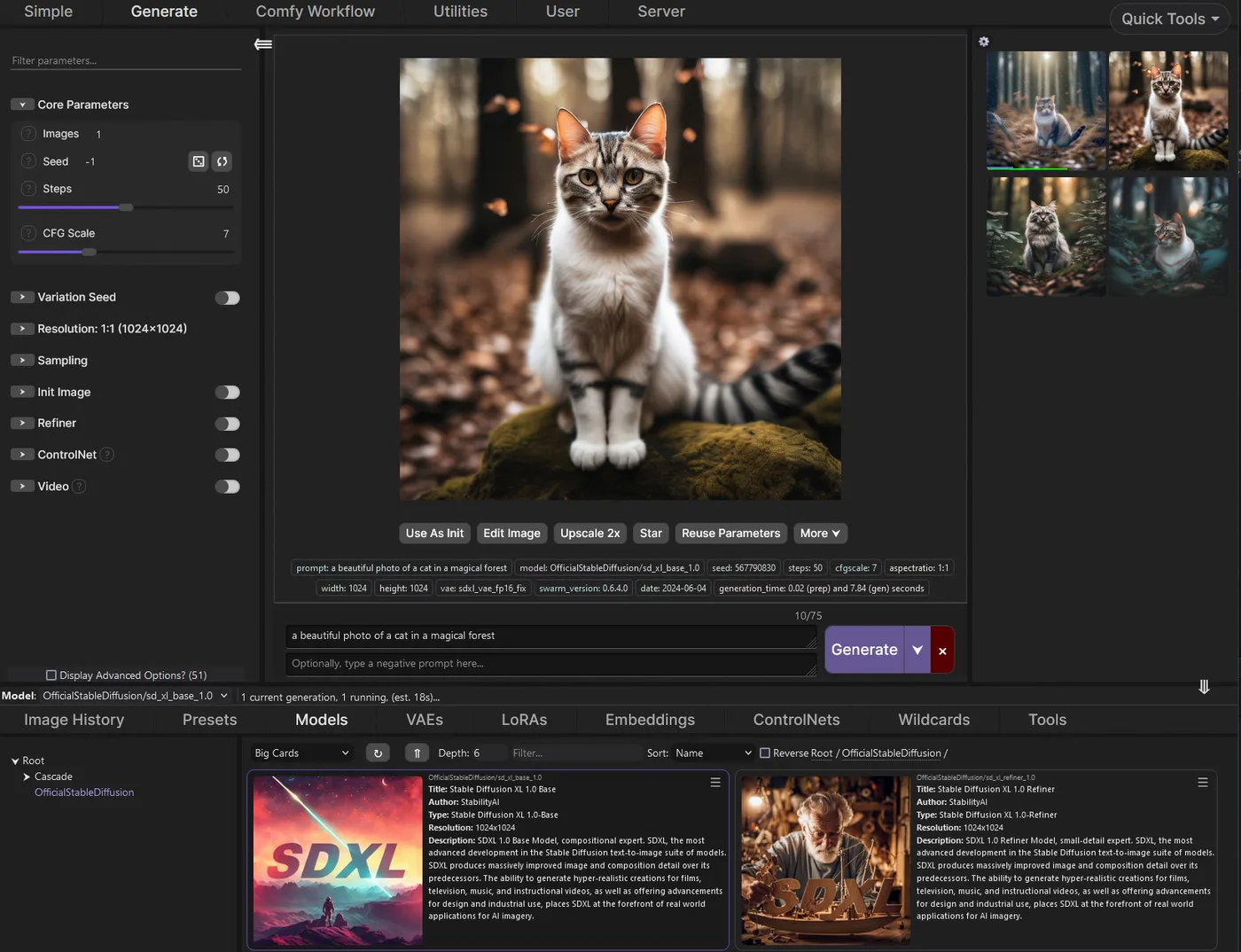
SwarmUI
- Simple interface, but ComfyUI power in the background
- Supports image, video, and audio
- Installer script for Windows
- Can connect multiple GPUs and computers
- Still in beta status
- Requires .NET and Python
- Limited usability on mobile devices
For you if you want to get started quickly, but still keep the door open to ComfyUI.
How to install them
ComfyUI
The easiest way is to download the official desktop app (Windows installer .exe) from comfy.org. Alternatively, there is a portable 7z version for NVIDIA, AMD, or Intel: unpack it and start the matching run_…_gpu.bat.
Guide: Set up and maintain ComfyUI on Windows
Guide: Your First Image with ComfyUI
SwarmUI
You download install-windows.bat from the release page and run it; the script sets everything up, creates a desktop icon, and opens the setup in the browser. On Windows 10, you may need Git and the .NET 8 SDK beforehand.
Download programs only from the official site or the official repository.
Frequently Asked Questions
Which is better, ComfyUI or SwarmUI?
For beginners, SwarmUI is the better choice: you get a clean form with a prompt field, while ComfyUI still runs in the background. If you want to build every step yourself, choose ComfyUI directly. Both support image, video, and audio models. Choose ComfyUI if you want to build workflows yourself from nodes and control everything precisely. Choose SwarmUI if you want to get started quickly but keep the door open to ComfyUI.
Do I need ComfyUI in addition if I install SwarmUI?
No, SwarmUI uses ComfyUI in the background as the compute engine. Through the Comfy workflow tab, you can still edit the nodes directly. That way, you can start with the form and dive deeper later.
More comparisons
Checked on Oct 21, 2026. All details in depth: ComfyUI and SwarmUI.