
Open WebUI vs. AnythingLLM
Two programs side by side: Who is each one for, what runs on your hardware, and how much work is the installation?
In short
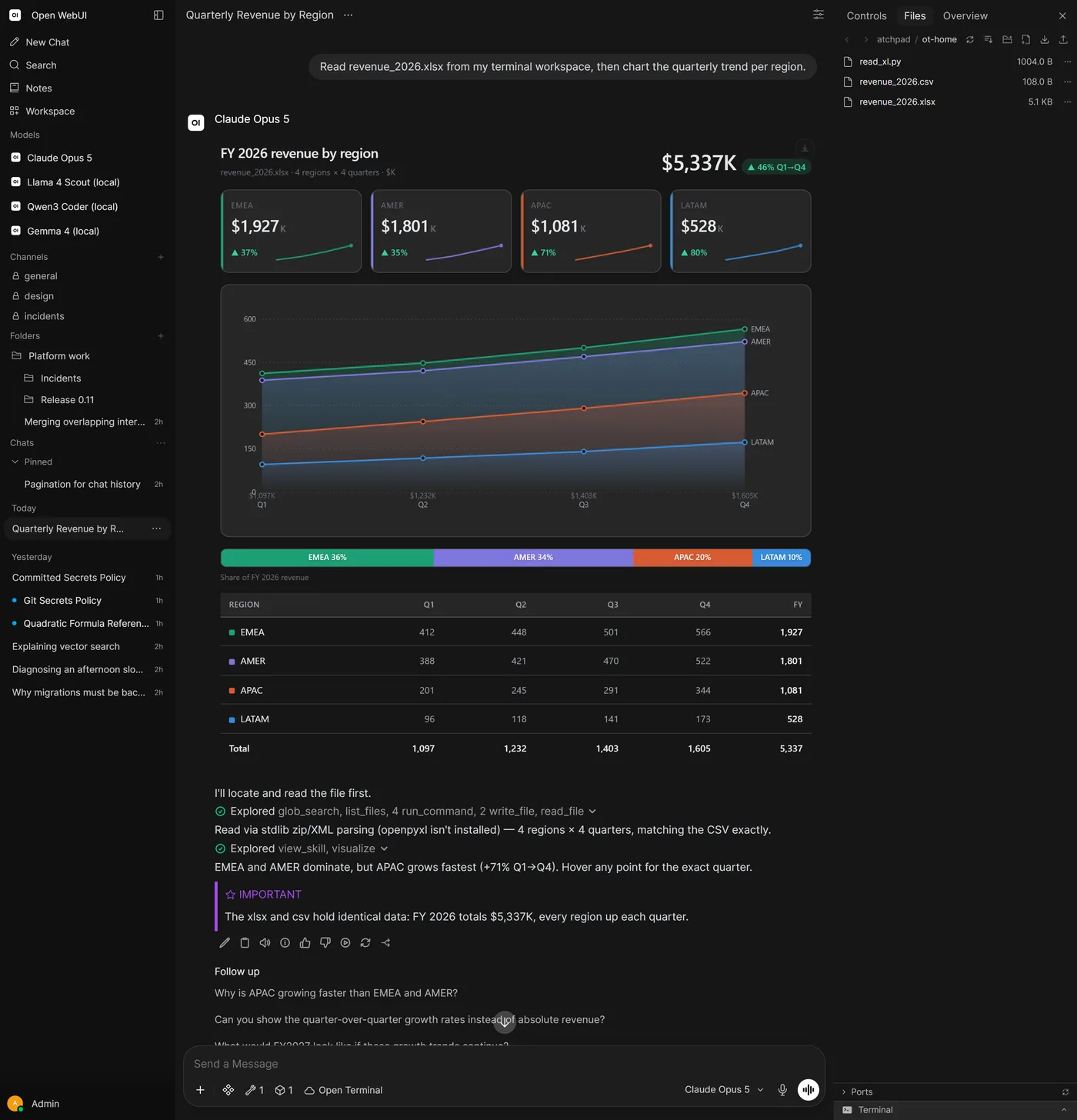
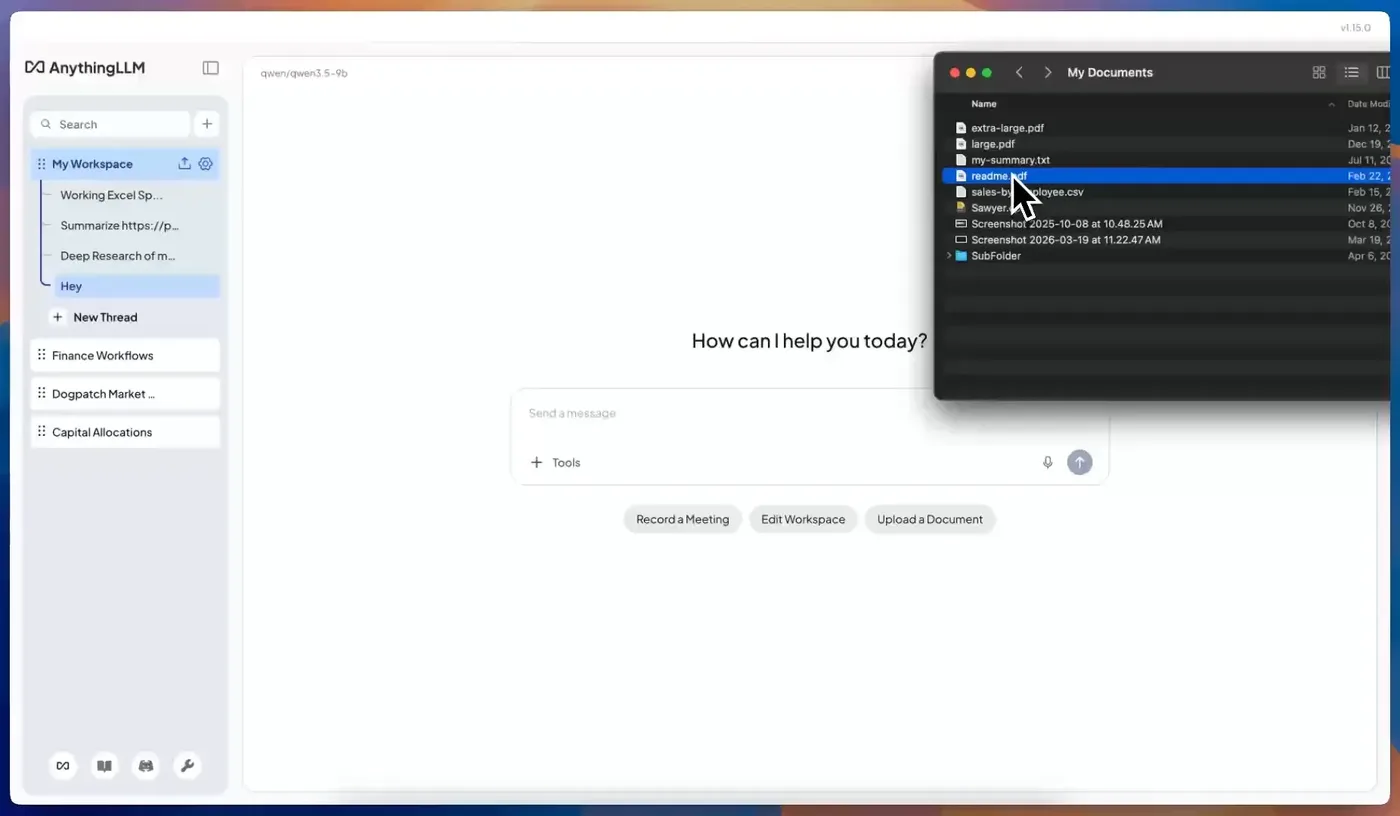
The two handle different tasks. Open WebUI is a ChatGPT-like interface in the browser that several people on your home network can use, but it needs a backend like Ollama. AnythingLLM is easier to set up, comes with its own engine, and is designed for chatting with your own documents.
Open WebUI
Choose Open WebUI if you want a chat interface for Ollama that other people in your household can also use.
AnythingLLM
Choose AnythingLLM if you mainly want to use local AI with your own documents.
The most important differences
| Open WebUI | AnythingLLM | |
|---|---|---|
| What for | Self-hosted chat interface in the style of ChatGPT for Ollama and OpenAI-compatible models, also for multiple users. | All-in-one app for chatting with your own documents (RAG) and for AI agents, with local or cloud models. |
| Who it’s for | For advanced users | For beginners |
| Installation | Installation is moderate | Installation is easy |
| Use | Web interface in the browser | Desktop app, web interface in the browser as a server version |
| Windows | yes | yes |
| Linux | yes | yes |
| macOS | yes | yes |
| NVIDIA | unclear | yes |
| AMD | unclear | yes |
| Intel Arc | unclear | unclear |
| Apple (M chips) | unclear | unclear |
| processor only | yes | yes |
| Hardware note | Open WebUI is only the interface; the models are run by a backend like Ollama, whose GPU support matters. There is a Docker image with CUDA for NVIDIA. | The desktop app includes its own local engine (Lemonade/llama.cpp) and automatically downloads the add-on packages for NVIDIA, AMD, or NPU; if they’re missing, everything runs more slowly on the CPU. |
| Price | free, enterprise license for a fee | free, hosted cloud version requires payment |
| License | Open WebUI License (BSD-3-like with branding clause) | MIT · Open Source |
| By | Open WebUI (Timothy Jaeryang Baek) | Mintplex Labs |
| Version | v0.12.3 (Oct 16, 2026) | v1.18.0 (Oct 13, 2026) |
Strengths and weaknesses
Open WebUI
- Familiar chat interface in the browser
- Multiple users and access on the home network
- Works with Ollama and many OpenAI-compatible services
- Very active development
- Needs a separate backend for the models
- Installation usually via Docker or Python
- Own license with branding requirement, not OSI open source
For you if you want a ChatGPT-like interface for Ollama that others in the household can also use.
AnythingLLM
- Chat with your own documents built in
- Own local engine, no extra software needed
- Works with Ollama, LM Studio, and cloud providers
- Agents and multi-user version via Docker
- Desktop version for one user only
- Installer needs internet for add-on packages
- Many features make the interface feel crowded
For you if you want to use local AI mainly with your own documents.
How to install them
Open WebUI
The easiest way is via Docker (also with bundled Ollama) or with Python 3.11 using “pip install open-webui” and “open-webui serve”. Then you open the interface in the browser.
Guide: Your own ChatGPT with Ollama and Open WebUI
AnythingLLM
You download the Windows installer and install it only for the current user; installation requires internet for add-on packages. There is a Docker version for multiple users.
Download programs only from the official site or the official repository.
Frequently Asked Questions
Which is better, Open WebUI or AnythingLLM?
The two handle different tasks. Open WebUI is a ChatGPT-like interface in the browser that several people on your home network can use, but it needs a backend like Ollama. AnythingLLM is easier to set up, comes with its own engine, and is designed for chatting with your own documents. Choose Open WebUI if you want a chat interface for Ollama that other people in your household can also use. Choose AnythingLLM if you mainly want to use local AI with your own documents.
Can I use Open WebUI without Ollama?
Open WebUI does not run models itself; it always needs a backend. That can be Ollama or any OpenAI-compatible interface, such as LM Studio or vLLM. AnythingLLM, on the other hand, comes with its own local engine.
Which one is suitable for multiple users?
Open WebUI is made for multiple user accounts out of the box and runs across your whole home network. The desktop version of AnythingLLM is only intended for one person; for multiple users, you need the Docker version.
More comparisons
Checked on Oct 21, 2026. All details in depth: Open WebUI and AnythingLLM.