
KoboldCpp vs. TextGen (text-generation-webui)
Two programs side by side: Who is each one for, what runs on your hardware, and how much work is the installation?
In short
If you want to get started quickly, KoboldCpp is the better choice: one file, no installation, with chat and story mode. TextGen (text-generation-webui) offers more backends, model formats, and settings, but it is more extensive. Both are aimed at advanced users.
KoboldCpp
Choose KoboldCpp if you want to get started without installation and write stories or long chats.
TextGen (text-generation-webui)
Choose TextGen (text-generation-webui) if you want to experiment with different model formats and lots of settings.
The most important differences
| KoboldCpp | TextGen (text-generation-webui) | |
|---|---|---|
| What for | Portable single-file program based on llama.cpp for chat and writing stories, with many extras. | Versatile web interface for local language models with multiple backends, formerly known as oobabooga text-generation-webui. |
| Who it’s for | For advanced users | For advanced users |
| Installation | Installation is easy | Installation is moderate |
| Use | Single-file program with launch window and web interface (KoboldAI Lite) | Web interface in the browser |
| Windows | yes | yes |
| Linux | yes | yes |
| macOS | limited | yes |
| NVIDIA | yes | yes |
| AMD | yes | yes |
| Intel Arc | yes | limited |
| Apple (M chips) | yes | yes |
| processor only | yes | yes |
| Hardware note | NVIDIA via CUDA, AMD and Intel via Vulkan; ROCm only via a custom build or third-party fork. Ready-made Mac packages are available only for Apple Silicon. | Portable Windows packages are available for CUDA (NVIDIA), Vulkan (AMD/Intel), ROCm 7.2 (AMD), and CPU; Intel on the full installation only via Docker. |
| Price | free | free |
| License | AGPL-3.0 · Open Source | AGPL-3.0 · Open Source |
| By | LostRuins (Concedo) | oobabooga |
| Version | v1.123.1 (Oct 13, 2026) | v4.9 (May 20, 2026) |
Strengths and weaknesses
KoboldCpp
- Portable, no installation needed
- Many extra features in one program
- Good support for AMD and Intel via Vulkan
- Very frequent updates
- Interface feels playful and has many options
- You have to find and download models yourself
- Ready-made Mac version only for Apple Silicon
For you if you want to get started without installation and write stories or long chats.
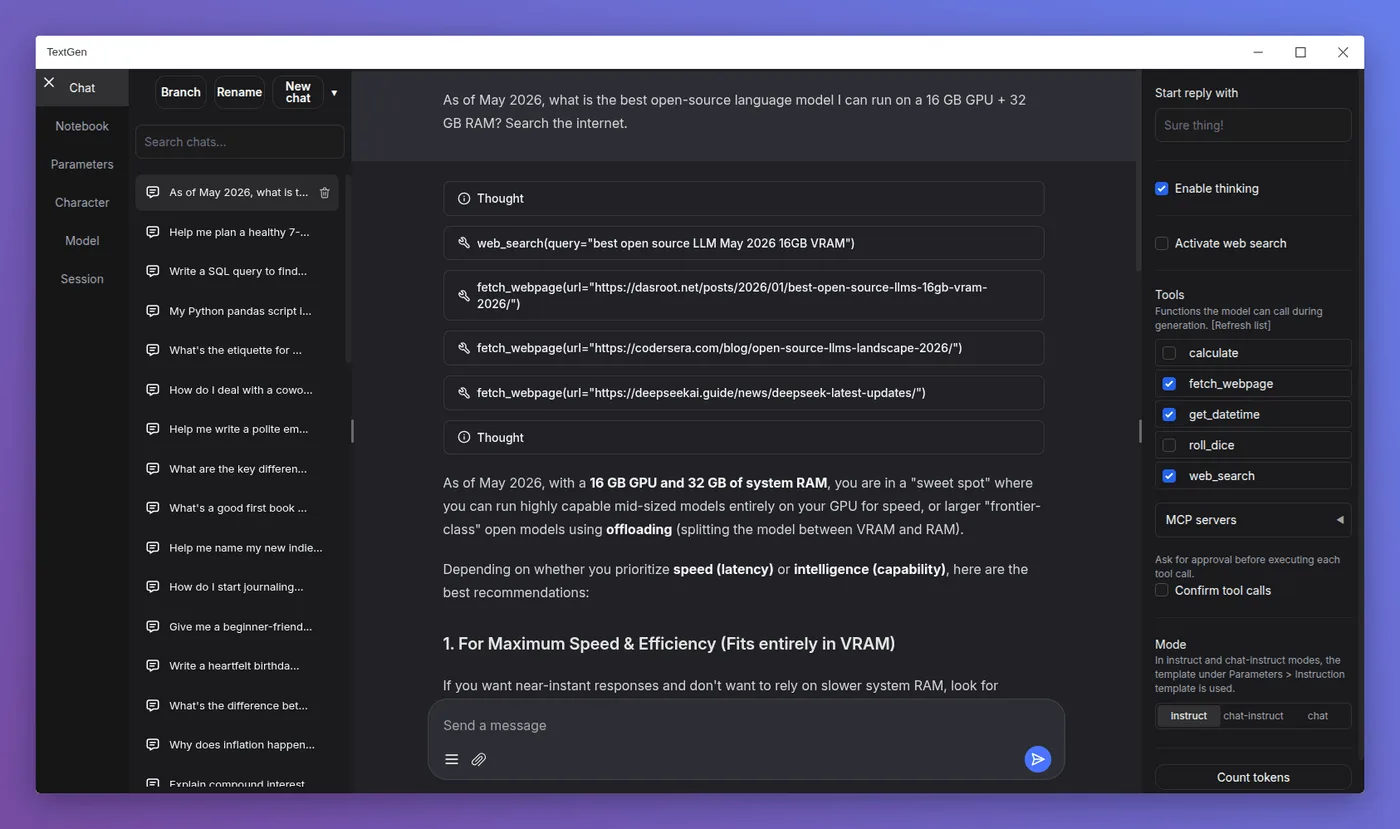
TextGen (text-generation-webui)
- Many backends and model formats
- Very many configuration options
- Portable packages for NVIDIA, AMD, and CPU
- API, tools, MCP, and training
- Many options can overwhelm beginners
- Full installation is large and more complex
- No new release since May 2026
For you if you want to experiment with different model formats and settings.
How to install them
KoboldCpp
You download koboldcpp.exe (NVIDIA) or koboldcpp-nocuda.exe (other GPUs) from the GitHub release page and start it by double-clicking, with no installation. You download the model separately and select it in the launch window.
TextGen (text-generation-webui)
The easiest way is to download a portable ZIP for your GPU from the release page, unpack it, and start textgen. For all features (ExLlamaV3, training, extensions), there is the installer `start_windows.bat`, which needs around 10 GB.
Download programs only from the official site or the official repository.
Frequently Asked Questions
Which is better, KoboldCpp or TextGen (text-generation-webui)?
If you want to get started quickly, KoboldCpp is the better choice: one file, no installation, with chat and story mode. TextGen (text-generation-webui) offers more backends, model formats, and settings, but it is more extensive. Both are aimed at advanced users. Choose KoboldCpp if you want to get started without installation and write stories or long chats. Choose TextGen (text-generation-webui) if you want to experiment with different model formats and lots of settings.
Where can I safely download KoboldCpp?
Download KoboldCpp only from the project's official GitHub page. According to the project, the site koboldcpp.com is a fake site.
Which supports more model formats?
TextGen (text-generation-webui) supports multiple backends like llama.cpp, ExLlamaV3, and Transformers. KoboldCpp is built on llama.cpp. If you want to use formats outside of llama.cpp, TextGen is the right choice.
More comparisons
Checked on Oct 21, 2026. All details in depth: KoboldCpp and TextGen (text-generation-webui).