
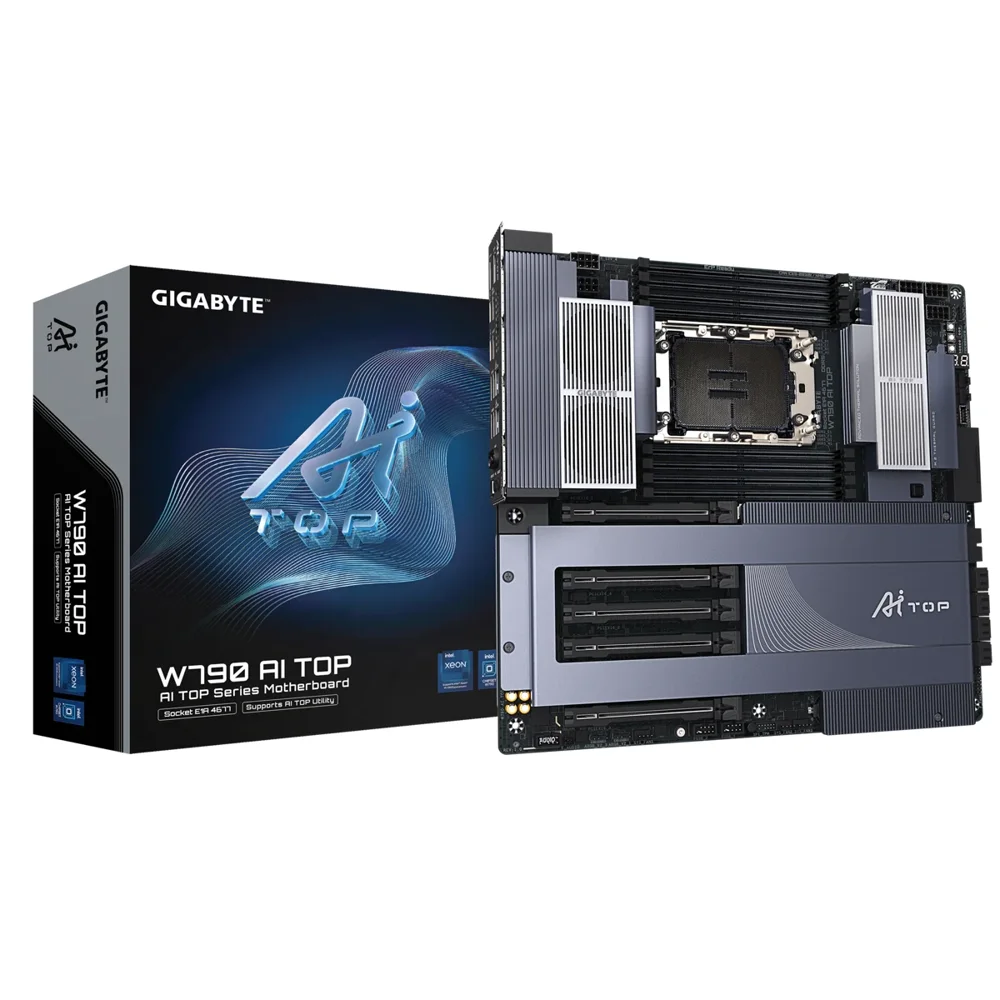
Overview
The GIGABYTE W790 AI TOP is a workstation motherboard for Intel Xeon W processors in the LGA4677 socket. It belongs to the AI TOP lineup that GIGABYTE introduced at Computex in June 2024. This also includes the AMD counterpart TRX50 AI TOP, graphics cards, SSDs, power supplies, and the AI TOP Utility software. The idea: You build a computer from standard parts and use it to train and fine-tune AI models yourself instead of renting cloud servers for it.
The board is aimed at people who want to run multiple graphics cards in one computer. According to GIGABYTE, it supports Xeon W-3500, W-3400, W-2500, and W-2400. You need a case for the large E-ATX format (30.5 × 33 cm).
What it brings for AI
A motherboard does not compute anything itself. But it does decide how many graphics cards you can install and how fast they are connected. The W790 AI TOP is strong here: According to the manual, it has five PCIe 5.0 slots, all running at full 16 lanes. Lanes are the data lines between the processor and the card. Many desktop boards split 16 lanes across two cards. Here, each card gets its own full connection, provided you use a Xeon W-3500 or W-3400.
What that means for language models depends on your graphics cards. As a rough rule, a 4-bit language model needs about 0.6 GB of VRAM per billion parameters, plus buffer space for the context. Four cards with 24 GB each give you 96 GB. That is enough for a 70-billion-parameter model (around 42 GB) with plenty of room to spare. Four cards with 48 GB each give you 192 GB. That makes 4-bit models in the range of 250 billion parameters feasible.
If VRAM gets too tight, programs like llama.cpp move parts of the model into RAM. This platform is well prepared for that: eight memory channels with DDR5 RDIMM and up to 2 TB. RDIMM are registered server modules with error correction (ECC). On paper, eight DDR5-4800 channels deliver just over 300 GB/s. That is a lot for a processor, but far less than the VRAM of a current card. So any parts that are offloaded run noticeably slower.
GIGABYTE says the board supports local training of language models with 450 billion parameters. That is a manufacturer claim for the full AI TOP system with matching software. We were not able to verify under which conditions this applies.
Detailed specs
Processor and memory: With Xeon W-3500/W-3400, you use all eight memory channels. With the smaller W-2500/W-2400, the manual says only four channels are used, and four of the eight slots remain empty. Per module, GIGABYTE specifies up to 256 GB (RDIMM-3DS) or 64 GB (standard RDIMM).
Slots: Five PCIe 5.0 x16 slots. With a W-2500/W-2400, the manual says PCIEX16_4 and PCIEX16_5 are disabled, leaving three. According to GIGABYTE, the slots are intended only for graphics cards and NVMe SSDs. How many cards will actually fit depends on how wide they are. Thick gaming cards with three or four slots of width will block adjacent slots.
Storage: Six M.2 slots. Four are connected to the processor (PCIe 5.0 x4), two to the chipset (PCIe 4.0 x4). With W-2500/W-2400, two CPU slots are disabled. There are also eight SATA ports and RAID support for NVMe and SATA.
Networking: Two 10-gigabit ports via an Intel X710-AT2. This lets you copy large model files quickly from the NAS or connect two computers. It also has Wi-Fi 7 (Intel BE200) with Bluetooth 5.4.
Ports: On the back, two Thunderbolt 4 (USB4, USB-C), two USB 3.2 Gen 2, four USB 3.2 Gen 1, and two DisplayPort inputs. The inputs let you route the image from a graphics card to the USB-C ports. Inside, there is one USB-C port with 20 Gb/s for the case.
Power: According to GIGABYTE, 16 phases with 110 A power stages supply the processor core. The board has a 24-pin ATX connector, four 8-pin 12 V connectors, and an additional 8-pin PCIe power connector for the processor. An adapter cable for running two power supplies is included. That is practical with four large graphics cards.
Other: Diagnostic LEDs, a debug display for error codes, power and reset buttons, and Q-Flash Plus for BIOS updates without a processor. Remote management via BMC/IPMI, as on server boards, is not listed in the manual.
Who is it worth it for?
For you, if you want to run three, four, or five graphics cards in one computer and need a lot of RAM. For example, for fine-tuning models, for large language models with offloading into RAM, or for multiple users on a local AI server. If you already have an Intel workstation setup or need Xeon-specific features, this board is an obvious choice.
For a single language model on one or two graphics cards, it is overkill. A desktop board is enough for that.
Limitations
The platform is expensive. Xeon W processors and RDIMM memory cost significantly more than desktop parts. Important: The cheaper W-2500/W-2400 only use half of the board. Then you get three instead of five x16 slots and four instead of eight memory channels.
The LGA4677 socket is no longer new. Whether Intel will release more processors for this socket is unclear. The manual only lists Windows 11 as the operating system. Linux is not officially listed. You should check in advance whether everything works properly there, such as Wi-Fi and Thunderbolt.
The “AI” in the name is partly marketing. Technically, this is a well-equipped W790 workstation board. The AI TOP software is an interface for open models. Tom's Hardware already questioned at launch whether professionals would get everything they need from it. With five graphics cards and two power supplies, such a system is also loud, hot, and very power-hungry.
Alternatives
- GIGABYTE TRX50 AI TOP: the AMD counterpart for Threadripper 7000/9000 with four x16 slots and up to 2 TB RAM as well.
- ASUS Pro WS W790E-SAGE SE: same socket, but seven x16 slots and remote management via BMC. More suited for rack and continuous operation.
- GIGABYTE Z890 AORUS XTREME AI TOP: much cheaper desktop platform, but only for two graphics cards.
This report is based on manufacturer specifications and published tests; we did not test the device ourselves.