
Overview
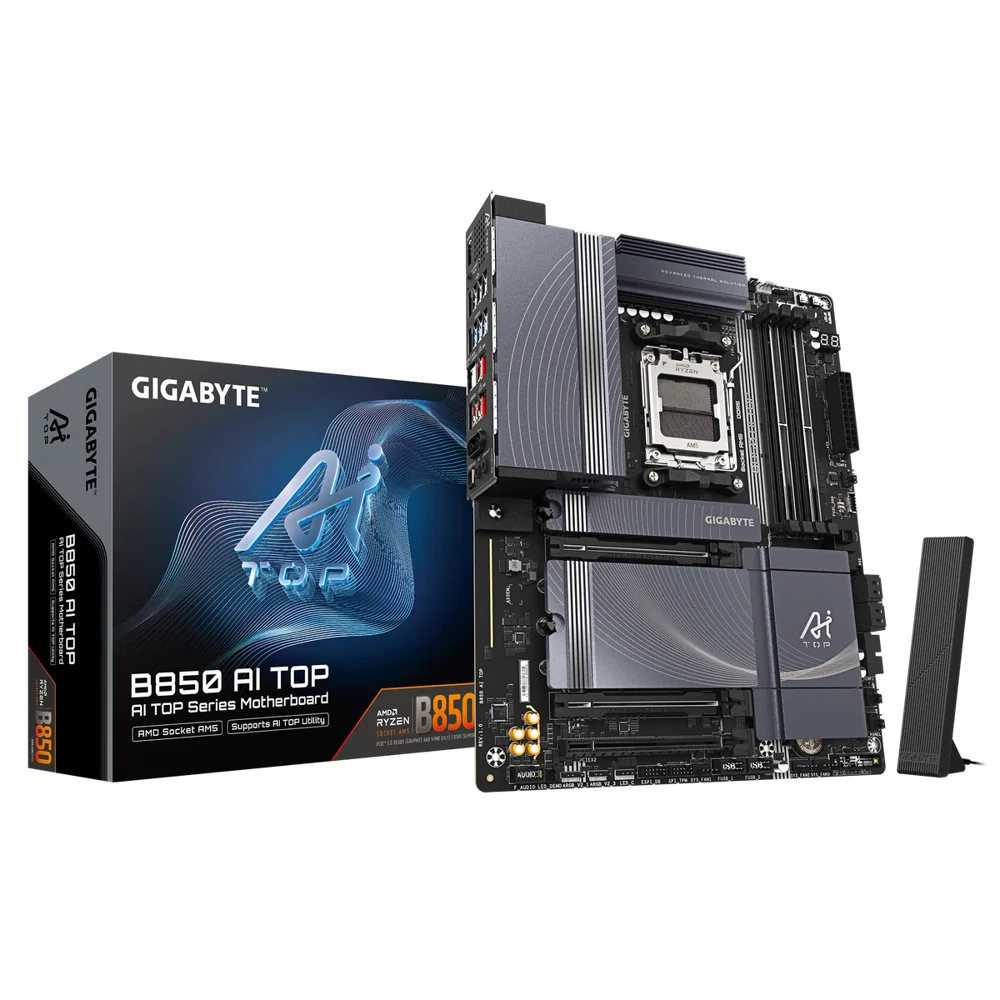
The GIGABYTE B850 AI TOP is the cheapest motherboard in the AI TOP lineup. It uses the AM5 socket and AMD's mid-range B850 chipset. Ryzen processors from the 7000, 8000, and 9000 series fit on it. GIGABYTE introduced the board on January 8, 2025 at CES, together with the other B850 and B860 boards. In the press release, it only briefly says the B850 AI TOP is compatible with the company's own "AI TOP Utility" software for fine-tuning AI models on your own PC.
It is built for anyone who wants to put together a normal desktop PC with one or two graphics cards for local AI and needs fast networking. The big brothers in the lineup are the TRX50 AI TOP for Threadripper and the W790 AI TOP for Xeon W. They offer significantly more slots and memory, but they also cost many times more.
What it does for AI
For AI, what matters most in a motherboard is how many graphics cards it can connect in a sensible way. The B850 AI TOP has two long slots that connect directly to the processor. If only one card is installed, it gets all 16 PCIe 5.0 lanes according to the manual. As soon as the second slot is occupied, both cards share the lanes at eight each (x8/x8). PCIe 5.0 x8 is roughly equivalent to the bandwidth of PCIe 4.0 x16. That is enough for language models running across two cards, because only relatively small amounts of data move between the cards.
With two cards, the VRAM adds up. As a rule of thumb, a language model in 4-bit quantization (heavily compressed weights) needs about 0.6 GB per billion parameters plus buffer for the context. Two cards with 24 GB each give you 48 GB total. That is enough for models up to around 70 billion parameters in 4-bit, though with little room for long contexts. Two cards with 32 GB each (64 GB total) give you noticeably more headroom.
According to GIGABYTE, system RAM supports up to 256 GB across four slots. That lets you offload large models partly into RAM, for example Mixture-of-Experts models (models where only part of the weights is used for each word). Speed is then limited by memory bandwidth: AM5 only has two memory channels. At DDR5-5600, that works out to just under 90 GB/s, a fraction of what a graphics card can do. Offloaded parts therefore run much more slowly.
The real AI feature is networking: two 10-gigabit ports. That lets you load model files quickly from a NAS or connect two computers, for example for distributed inference. GIGABYTE generally advertises the AI TOP lineup as supporting training of models up to 236 billion parameters. That figure refers to AI TOP systems with multiple large graphics cards, not to a single B850 board.
Details
The board uses the usual ATX format (30.5 × 24.4 cm). In addition to the two graphics card slots, there is a third long slot, but it is connected to the chipset with only PCIe 4.0 x2. It shares lanes with the third M.2 slot and disappears as soon as an SSD is installed there. It is not intended for a third graphics card. According to the manual, only graphics cards or NVMe SSDs may be installed in the two upper slots.
For SSDs, there are three M.2 slots: two with PCIe 5.0 x4 directly on the processor and one with PCIe 4.0 x2 on the chipset. There are also four SATA ports. Important for Ryzen 8000 processors (APUs with integrated graphics): with them, the first slot runs only at PCIe 4.0 x8 or x4, and the second disappears completely. So for two graphics cards, you need a Ryzen 7000 or 9000.
The network chips are two Marvell AQtion AQC113C, plus Wi-Fi 7 with a Realtek module and Bluetooth 5.4. On the back, you will find three USB-A ports with 10 Gb/s, four with 5 Gb/s, four USB 2.0 ports, HDMI, and a USB-C port with DisplayPort. For this USB-C port, GIGABYTE states up to 40 Gb/s, depending on the processor. Elsewhere in the manual, it says USB 3.2 Gen 2 (10 Gb/s). On the front, there is a USB-C port with 20 Gb/s.
GIGABYTE describes the processor power delivery as 16+2+2 phases with 110 A power stages. The 16 phases are two parallel groups of eight each. That is generous for a B850 board. For troubleshooting, there are status LEDs, a debug display with codes, power and reset buttons, and Q-Flash Plus for BIOS updates without an installed processor.
Who is it for?
This board makes sense if you are planning an AM5 system with two graphics cards and already need 10-gigabit networking, for example for a NAS with lots of model files or for a second AI PC. If you only use one graphics card and can live with 2.5-gigabit networking, you get the same AI performance on any other B850 board.
Limitations
The "AI" in the name is mostly marketing. Technically, the B850 AI TOP is a well-equipped desktop board. The AI performance comes entirely from your graphics cards. More than two cards are not sensible, and memory is still limited to two channels and 256 GB. Whether two thick graphics cards with three or four slots of height fit next to each other depends on the spacing between the slots and the case. We could not verify the exact spacing. Officially, GIGABYTE lists only Windows 11 as the operating system in the datasheet; Linux does not appear there. We did not find an independent test of the board.
Alternatives
- GIGABYTE X870E AORUS XTREME AI TOP: Also AM5 with two graphics card slots (x16 or x8/x8) and dual 10GbE, plus USB4, but much more expensive.
- GIGABYTE TRX50 AI TOP: For Threadripper, with four fully connected x16 slots and up to 2 TB RAM. The choice if you plan to use more than two graphics cards.
- A regular B850 board with two x16 slots: If you do not need 10GbE or plan to add a network card later, you can often get the same graphics card connectivity more cheaply.
This report is based on manufacturer information and published tests; we did not test the device ourselves.