
llama.cpp
The fast C/C++ engine behind many local AI programs, with a server and simple web interface.
- By
- ggml-org (Georgi Gerganov)
- Use
- Command line with built-in web interface
- Price
- free
- License
- MIT
- Version
- v0.7.0 (Oct 15, 2026)
What is llama.cpp?
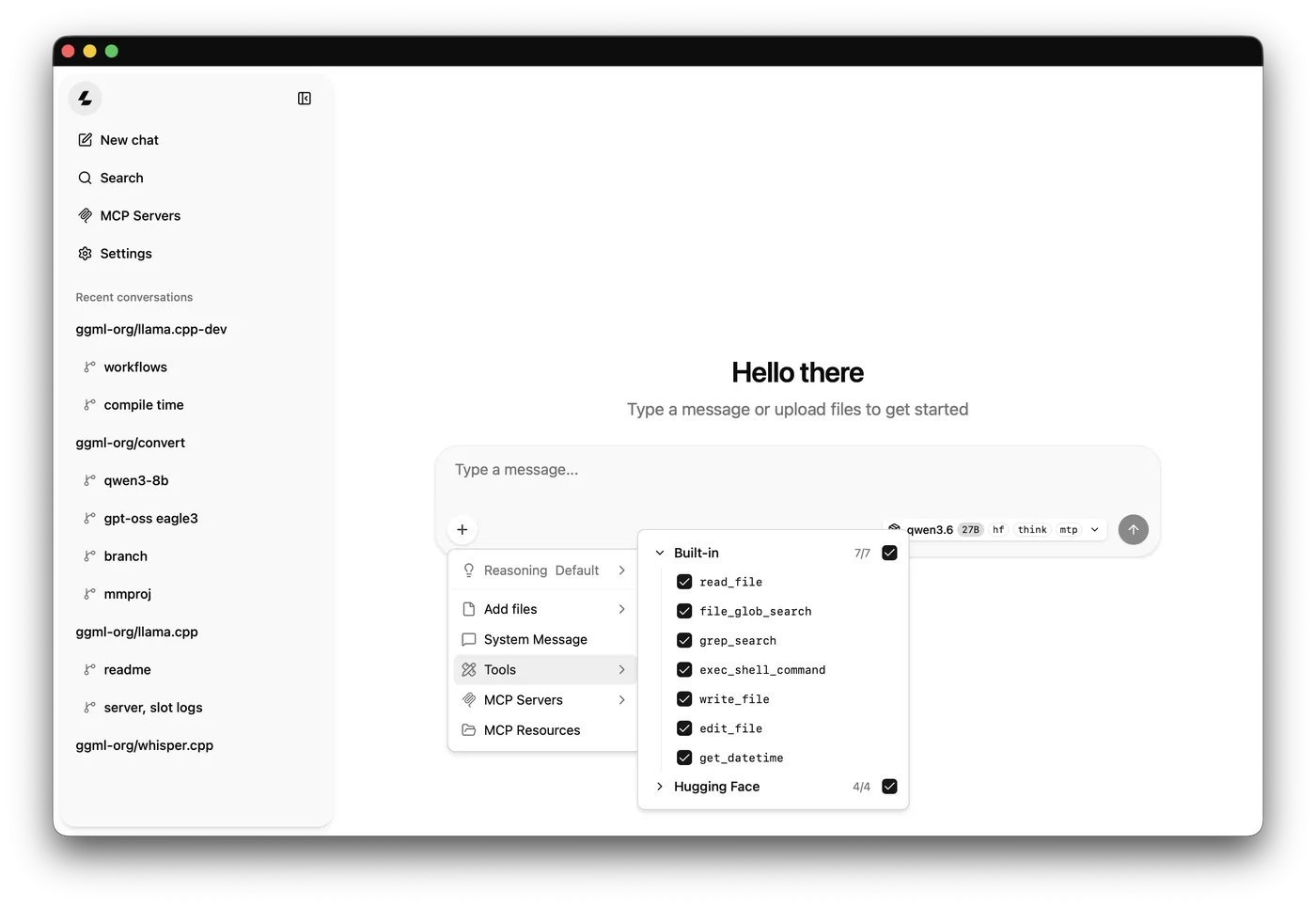
llama.cpp is the compute engine that Ollama, LM Studio, KoboldCpp, and many others are built on. You can also use it directly: a server program loads a model in GGUF format and provides a built-in web interface as well as an OpenAI-compatible API. It supports almost any hardware, from NVIDIA to AMD and Intel to Apple and pure CPU. Operation is done through startup parameters, which gives you more control but requires some learning. New models and features often appear here first.
For you if you want maximum control and performance and are comfortable with the command line.
Strengths
- Very broad hardware support
- Full control over all settings
- New models are often supported first
- Very frequent updates
Weaknesses
- Operation mainly via command line
- You have to choose the right models yourself
- Many options can overwhelm beginners
Does it run on your system?
| Operating system | Hardware | ||
|---|---|---|---|
| Windows | yes | NVIDIA | yes |
| Linux | yes | AMD | yes |
| macOS | yes | Intel Arc | yes |
| Apple (M chips) | yes | ||
| processor only | yes |
Ready-made Windows packages are available for CUDA (NVIDIA), Vulkan (all manufacturers), ROCm (AMD), SYCL (Intel), and pure CPU; on Mac, it uses Metal.
Installation
You download the matching ready-made package (e.g. CUDA or Vulkan) from the release page and extract it, or alternatively use a PowerShell script or Docker. You start it from the command line, and then there is a web interface in the browser.
Download programs only from the official site or the official repository.
Step by step: LM Studio: Your First Local Chat
License
Models that run on it
- Text and chat Qwen3.5 27B Sales allowed
- Text and chat gpt-oss-20b Sales allowed
- Text and chat gpt-oss-120b Sales allowed
- Text and chat Qwen3.8 27B Sales allowed
- Text and chat Gemma 4 12B Sales allowed
- Text and chat Muse Glimmer 30B Sales allowed
- Text and chat Mistral Small 4 119B-A6B (MoE) Sales allowed
- Text and chat NVIDIA Nemotron 3.5 Bolt 74B-A9B (MoE) Sales allowed
- Text and chat Laguna XS 2.1 33B-A3B (MoE, Coding) Sales allowed
Alternatives
Ollama
A lightweight service that loads language models with one command and runs them locally — the foundation for many other interfaces.
KoboldCpp
Portable single-file program based on llama.cpp for chat and writing stories, with many extras.
LM Studio
Convenient desktop app for searching, downloading, and chatting with local language models, including a local API server.
llama.cpp compared
Known errors and solutions
- 'git' is not recognized
- AMD graphics card not being used (ROCm or Vulkan)
- Confusing answers, endless loops, or tags like <|im_end|> (wrong chat template)
- GGUF: tensor '…' data is not within the file bounds, model is corrupted or incomplete (model file incomplete)
- GGUF: unknown model architecture (program too old for the model)
- Intel Arc not recognized (torch.xpu)
- llama-server: the request exceeds the available context size, try increasing it (request longer than the context length)
- llama.cpp (Vulkan): vk::Device::allocateMemory: ErrorOutOfDeviceMemory (graphics memory block too large or VRAM full)
- llama.cpp: CUDA error: out of memory
- Model forgets the beginning or ignores long texts (context length too small)
- Very slow responses because the model does not fit in VRAM
- Windows SmartScreen or Defender blocks an installer or .exe
Sources
- https://github.com/ggml-org/llama.cpp
- https://github.com/ggml-org/llama.cpp/releases
- https://github.com/ggml-org/llama.cpp/releases/latest
- https://rocm.blogs.amd.com/artificial-intelligence/language-models-locally/README.html
Checked on Oct 21, 2026. Questions about llama.cpp? Ask in the forum.