
Subtitle Edit
Free subtitle editor with built-in local speech recognition via Whisper engines.
- By
- niksedk and the Subtitle-Edit community
- Use
- Desktop app
- Price
- free
- License
- MIT
- Version
- v5.3.0 (Oct 14, 2026)
What is Subtitle Edit?
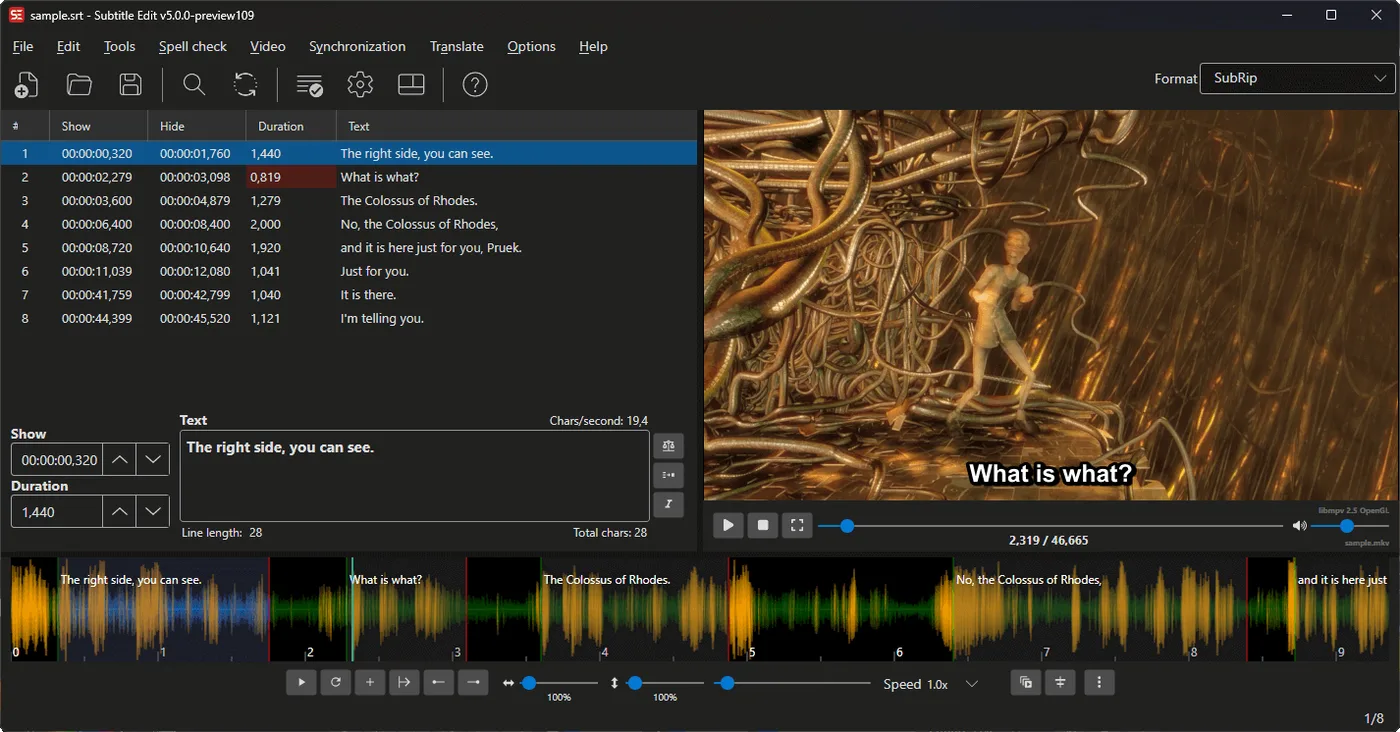
Subtitle Edit is a mature subtitle editor. With the Speech to Text function, you can open a video and have Whisper automatically create subtitles for you, with no command line needed. You can choose between several engines such as whisper.cpp, Faster-Whisper-XXL from Purfview, or WhisperX, which the program downloads for you. After that, you can correct text and timing directly in the same program. This works well for videos, podcasts, and interviews, including in German.
For you if you want to automatically create subtitles for videos and then easily correct them.
Strengths
- Graphical interface with installer or portable version
- Several Whisper engines to choose from
- Edit transcript and subtitles directly in the same program
- Runs offline, online services are optional
Weaknesses
- Lots of features; the interface feels crowded at first
- Focus on subtitles, less on plain transcripts
- Windows 10 version 22H2 or later required
Does it run on your system?
| Operating system | Hardware | ||
|---|---|---|---|
| Windows | yes | NVIDIA | yes |
| Linux | yes | AMD | unclear |
| macOS | yes | Intel Arc | unclear |
| Apple (M chips) | unclear | ||
| processor only | yes |
Speech recognition runs through selectable engines like whisper.cpp, Purfviews Faster-Whisper-XXL, or WhisperX; which GPU is used depends on the chosen engine.
Installation
You download the Windows installer (SubtitleEdit-Windows-x64-Setup.exe) or the portable ZIP file from the GitHub release page; you do not need to install .NET separately.
Download programs only from the official site or the official repository.
Step by step: Subtitles and Transcripts with Whisper
License
Alternatives
Buzz
Simple desktop app that converts audio and video to text or subtitles offline with Whisper.
whisper.cpp
Whisper as a lean C/C++ program without Python, runs on almost any hardware, including AMD and Intel graphics.
faster-whisper
Faster reimplementation of Whisper based on CTranslate2 - same accuracy, less memory.
Sources
- https://github.com/SubtitleEdit/subtitleedit
- https://raw.githubusercontent.com/SubtitleEdit/subtitleedit/main/README.md
- https://raw.githubusercontent.com/SubtitleEdit/subtitleedit/main/Changelog.txt
- https://github.com/SubtitleEdit/subtitleedit/releases
- https://github.com/purfview/whisper-standalone-win
Checked on Oct 21, 2026. Questions about Subtitle Edit? Ask in the forum.