
NVIDIA drivers and NVIDIA App
Official graphics driver for GeForce cards plus the NVIDIA App for automatic driver updates and GPU settings.
- By
- NVIDIA
- Use
- Desktop app
- Price
- free download, login optional
- License
- proprietary
- Version
- no information
What is NVIDIA drivers and NVIDIA App?
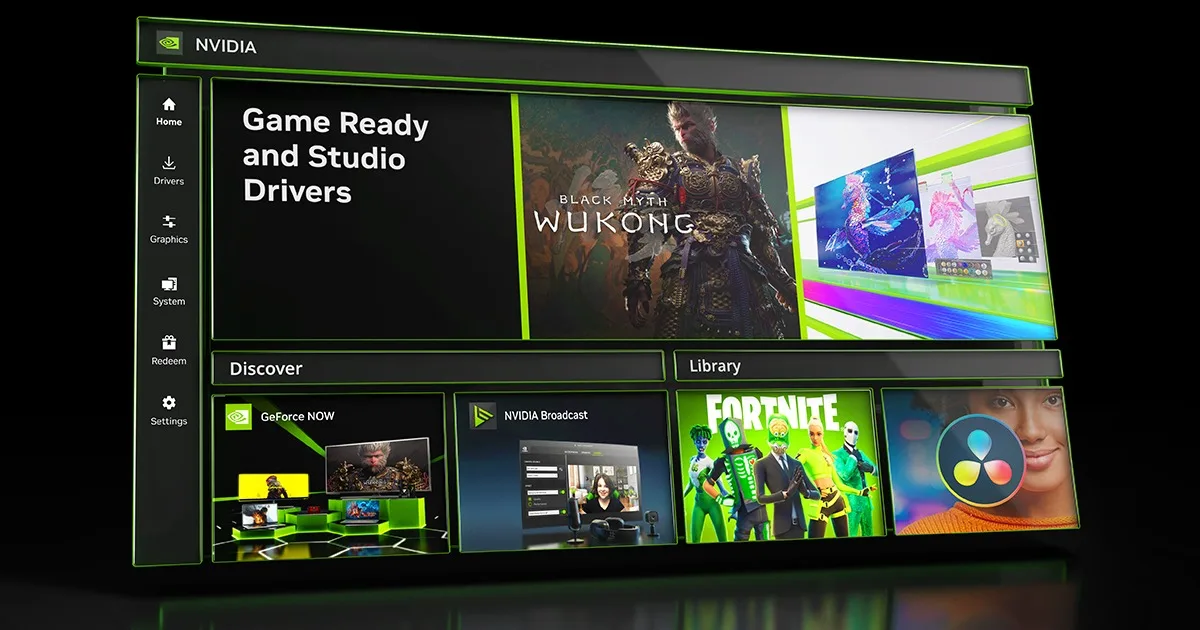
For AI on a GeForce card, an up-to-date NVIDIA driver is the most important foundation. The NVIDIA App installs and updates it for you and combines settings from the old Control Panel and GeForce Experience. You can choose between Game Ready drivers (for games) and Studio drivers (for creative programs). Programs like Ollama or ComfyUI Portable bring their own CUDA libraries, and according to their guides you usually only need the driver. The full CUDA Toolkit is mainly for developers who compile software themselves.
For you if you have a GeForce card and want to run AI programs like ComfyUI or Ollama on the GPU.
Strengths
- Keeps the driver automatically up to date
- Login only optional
- Choice between Game Ready and Studio driver
- Enough for most AI programs without an extra CUDA Toolkit
Weaknesses
- Only for NVIDIA cards
- Older or very new AI programs sometimes require a minimum driver version
- Proprietary, license text not checked
Does it run on your system?
| Operating system | Hardware | ||
|---|---|---|---|
| Windows | yes | NVIDIA | yes |
| Linux | limited | AMD | no |
| macOS | no | Intel Arc | no |
| Apple (M chips) | no | ||
| processor only | no |
According to the docs, Ollama needs an NVIDIA driver version 550 or newer (older cards with Compute Capability 5.0–6.2 starting with 570). The ComfyUI Portable package already includes PyTorch with CUDA 13.0 and only recommends a driver update if you have startup problems; neither guide requires a separate CUDA Toolkit.
Installation
Download the NVIDIA App from nvidia.com and install it; it will keep the driver up to date afterward. Alternatively, you can manually search for the driver on nvidia.com/drivers for your card.
Download programs only from the official site or the official repository.
License
proprietary
The driver and app are proprietary software from NVIDIA; we have not reviewed the exact license terms.
The program license is something different from the model licenses you use in it. Whether you may sell results depends on the model; see Licenses. Not legal advice.
Alternatives
Known errors and solutions
Sources
- https://www.nvidia.com/en-us/software/nvidia-app/
- https://www.nvidia.com/en-us/software/nvidia-app/faq/
- https://www.nvidia.com/en-us/drivers/
- https://docs.ollama.com/gpu
- https://docs.ollama.com/windows
- https://raw.githubusercontent.com/comfyanonymous/ComfyUI/master/README.md
- https://pytorch.org/get-started/locally/
Checked on Oct 21, 2026. Questions about NVIDIA drivers and NVIDIA App? Ask in the forum.