
- By
- Blender Foundation
- Use
- Desktop app
- Price
- free
- License
- GPL-2.0-or-later (programm files GPL-3.0-or-later, Cycles Apache-2.0)
- Version
- 5.2.2 LTS (Sep 15, 2026)
What is Blender?
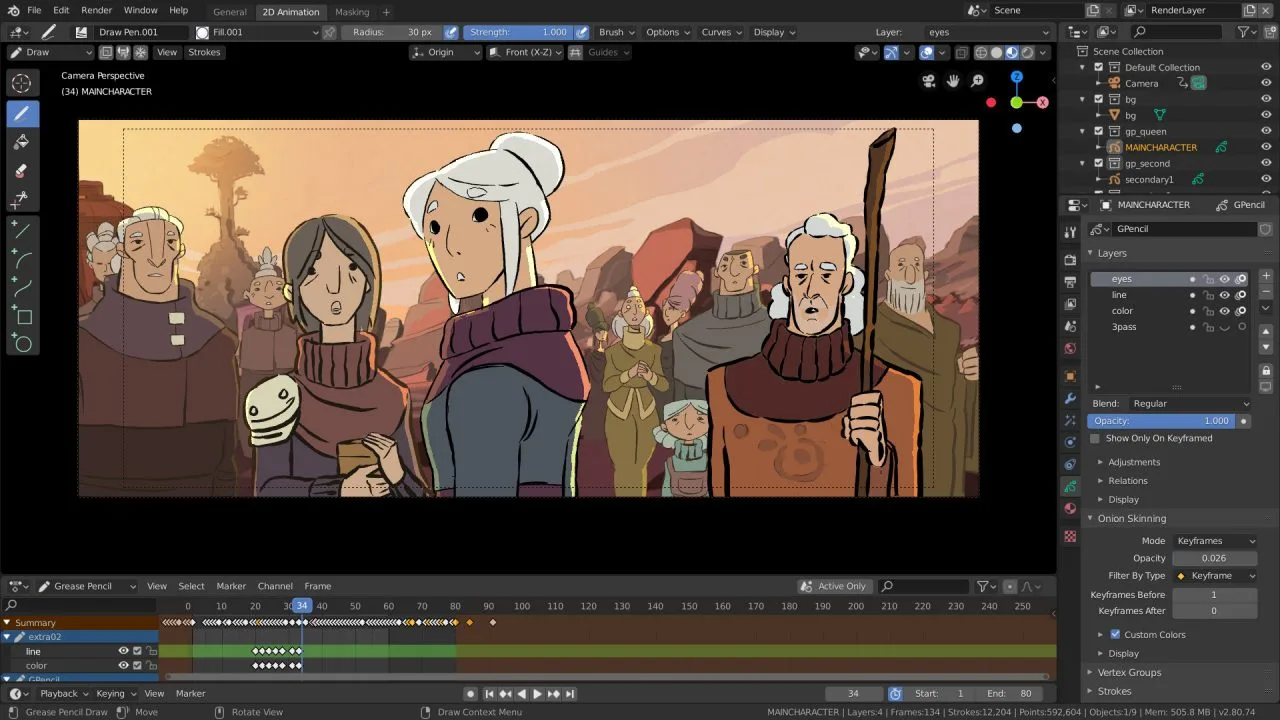
Blender is the best-known free 3D program and covers modeling, sculpting, texturing, animation, and rendering. For AI users, it is mainly the workbench: you import the model from Hunyuan3D, TRELLIS, or Stable Fast 3D, clean up the mesh, fix textures, and export it for games or 3D printing. Formats like glTF 2.0, OBJ, FBX, and STL are supported. The interface is powerful, but unfamiliar at first; however, there are many tutorials. The current version 5.2 is an LTS version with two years of updates.
For you if you want to clean up, adjust, and finish AI-generated 3D models for games or 3D printing.
Strengths
- Completely free, including commercially
- Runs with NVIDIA, AMD, and Intel
- Huge community and lots of tutorials
- Imports common formats like glTF and OBJ
Weaknesses
- Steep learning curve for beginners
- Does not have built-in image-to-3D AI itself
- For smooth work, 8 GB VRAM and plenty of RAM are preferable
Does it run on your system?
| Operating system | Hardware | ||
|---|---|---|---|
| Windows | yes | NVIDIA | yes |
| Linux | yes | AMD | yes |
| macOS | yes | Intel Arc | yes |
| Apple (M chips) | yes | ||
| processor only | no |
At least 2 GB VRAM with OpenGL 4.3 and Vulkan 1.3, 8 GB recommended; NVIDIA from GeForce 900, AMD from GCN 4, Intel from Kaby Lake. On Mac, Blender requires Apple Silicon starting with 5.0.
Installation
Download the Windows installer (.msi) or the portable ZIP file from blender.org; alternatively, get it through the Microsoft Store or Steam.
Download programs only from the official site or the official repository.
Step by step: 3D print an AI model – turn it into a print-ready STL or 3MF file in Blender, Create a 3D model from photos – with AI or photogrammetry
License
GPL-2.0-or-later (programm files GPL-3.0-or-later, Cycles Apache-2.0)
Blender is free, and according to Blender, everything you create with it belongs only to you — even for commercial projects like games.
The program license is something different from the model licenses you use in it. Whether you may sell results depends on the model; see Licenses. Not legal advice.
Alternatives
Hunyuan3D-2 / Hunyuan3D-2.1
Tencent's model that turns an image into a 3D model with texture (in 2.1, with PBR materials).
TRELLIS.2
Microsoft's 4-billion-parameter model that generates a 3D model with PBR materials from an image.
Stable Fast 3D (SF3D)
Fast image-to-3D model from Stability AI that can already generate a textured mesh with about 6 GB of VRAM.
Meshroom
Free open-source photogrammetry: combines many photos of an object into a textured 3D model.
RealityScan
Professional photogrammetry from Epic Games (formerly RealityCapture): fast, with AI cutout, free for hobby use.
Sources
- https://www.blender.org/download/
- https://www.blender.org/download/requirements/
- https://www.blender.org/about/license/
- https://docs.blender.org/manual/en/3.5/addons/import_export/index.html
Checked on Oct 21, 2026. Questions about Blender? Ask in the forum.